
On the App Store and Google Play
Every bill.
One place.
Expense Aware is the shared bill tracker for households. Add a bill once, and it repeats itself, reminds you before it's due, and keeps everyone in sync. No more “did anyone pay the internet?”



Free for 7 days, then a subscription. Cancel anytime.
Financially aware. Emotions: TBD.
See it in 40 seconds
Rent, power, school fees, swim lessons. Here's how the household stays on top of it.

Have a look around
Swipe through the app. Yes, it has dark mode.
Everything the household needs.
Nothing it doesn't.
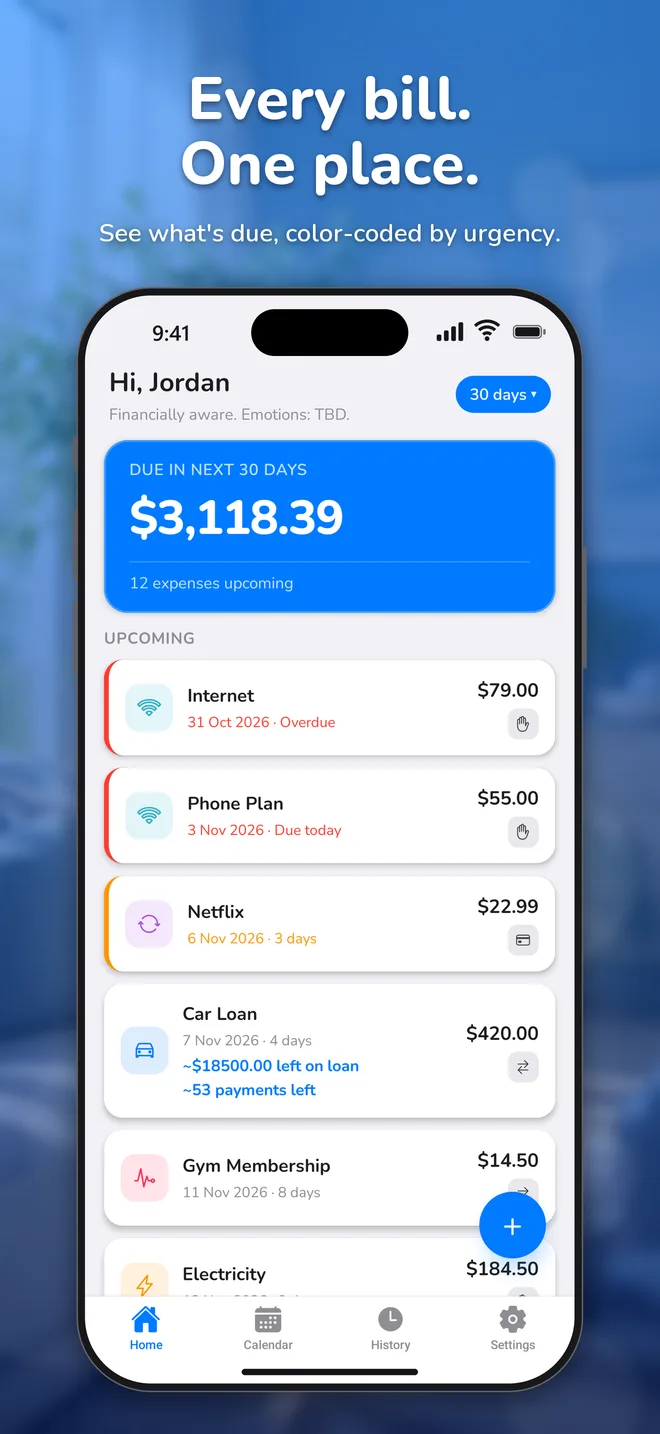
Color-coded by urgency
Red is overdue, orange is due in 3 days, green is well ahead. You'll know what to pay first at a glance.
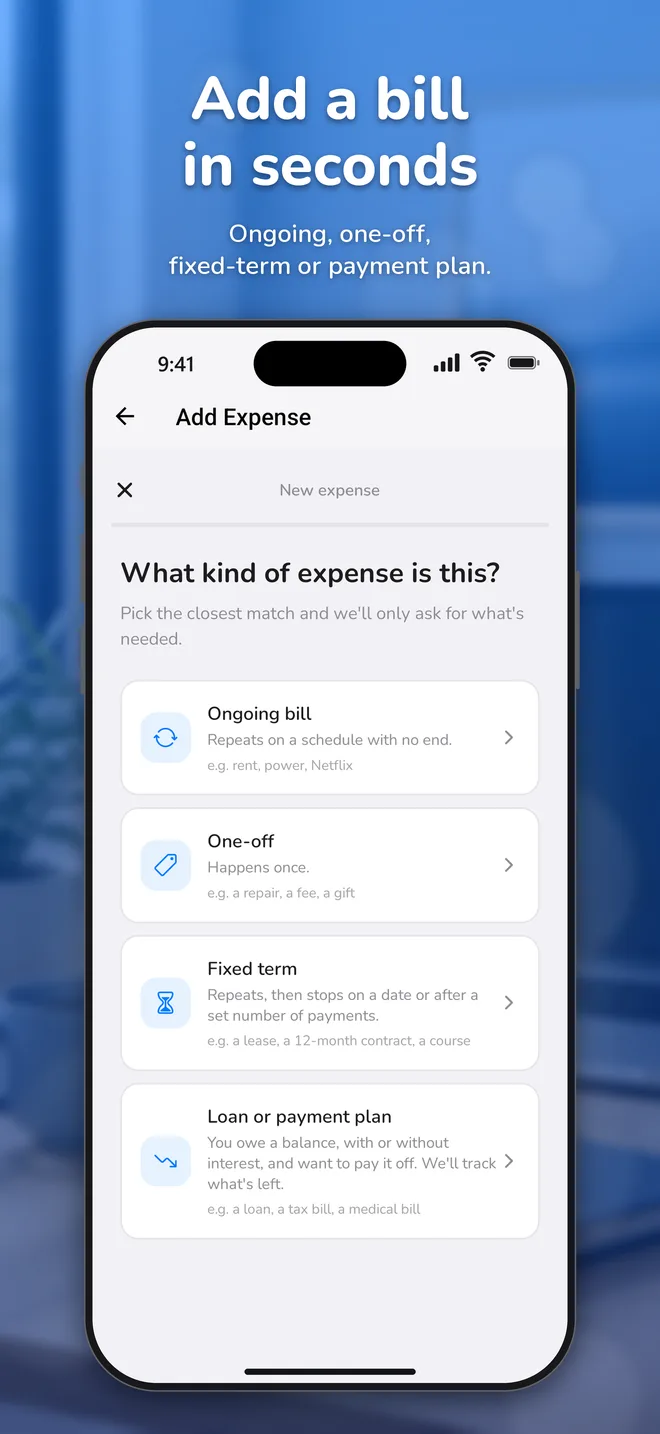
Add a bill in seconds
Pick ongoing, one-off, fixed-term or payment plan, and the app only asks what that kind needs.
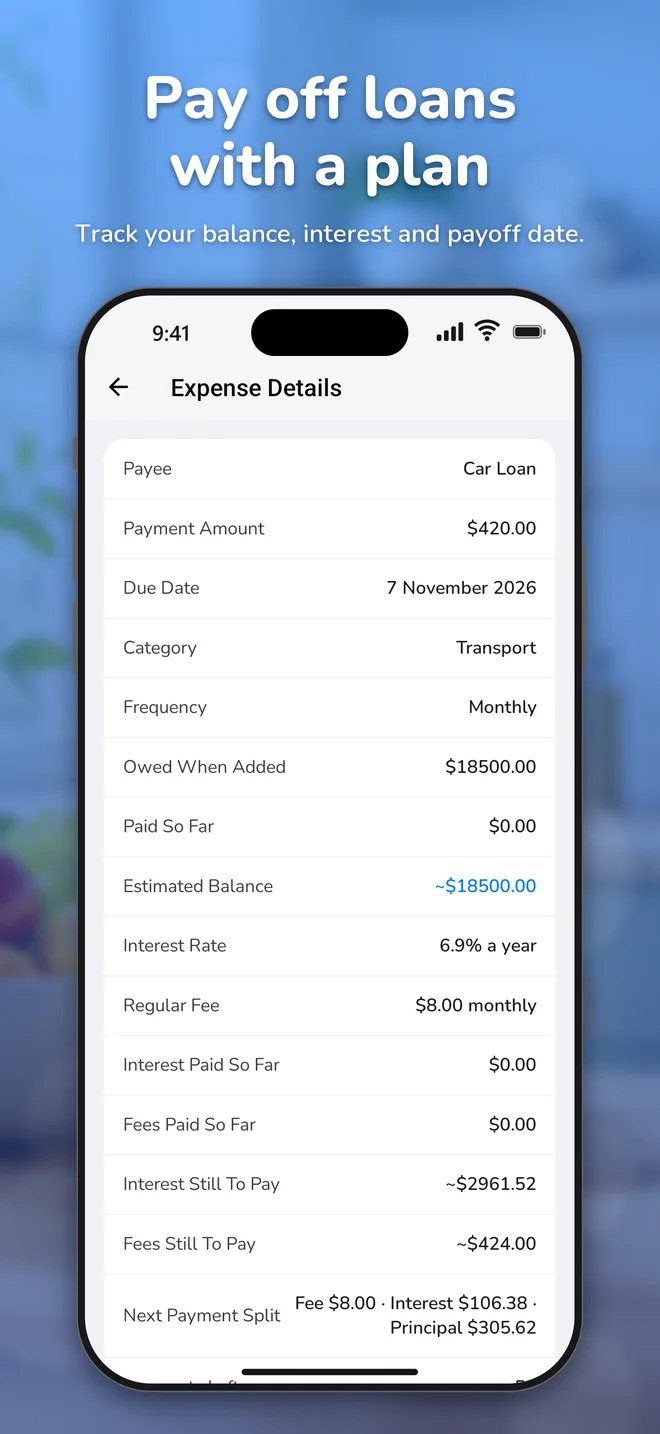
Loans and payment plans
Track a balance with interest and fees, see how each payment splits, and how many payments are left.
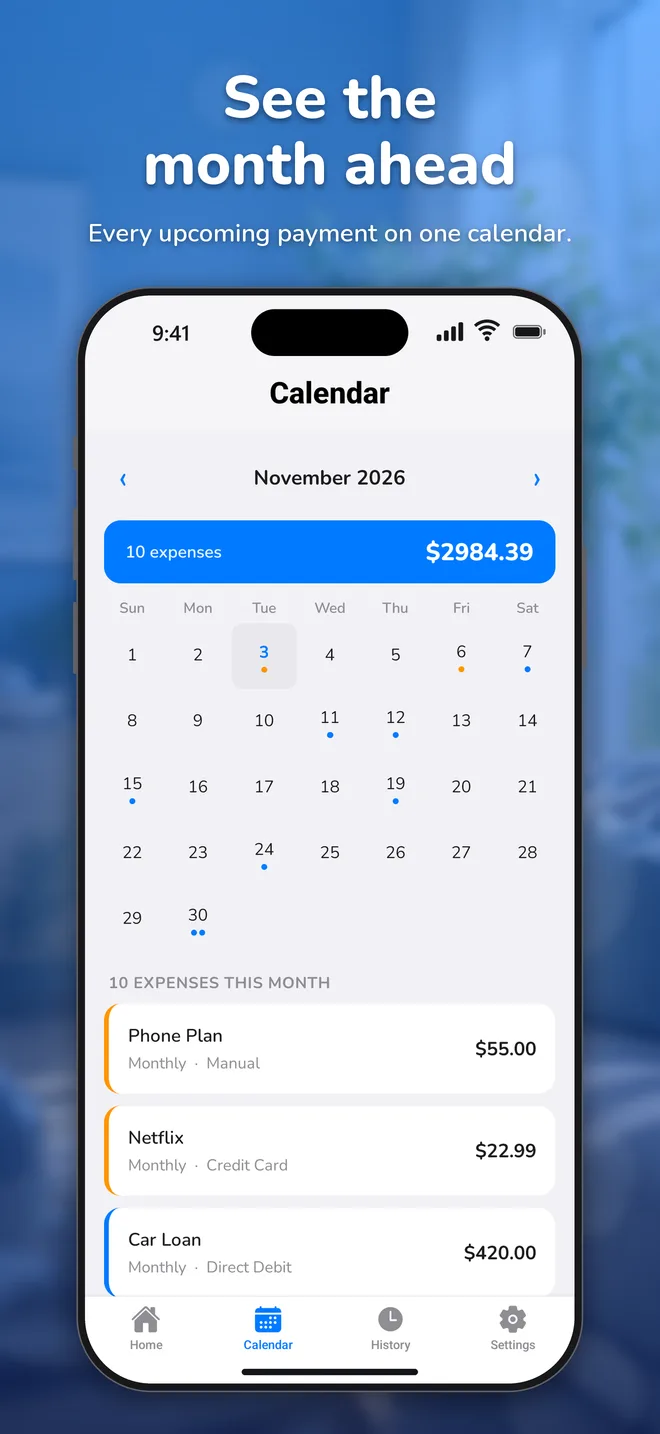
See the month ahead
Every upcoming payment on one calendar, up to a year out.
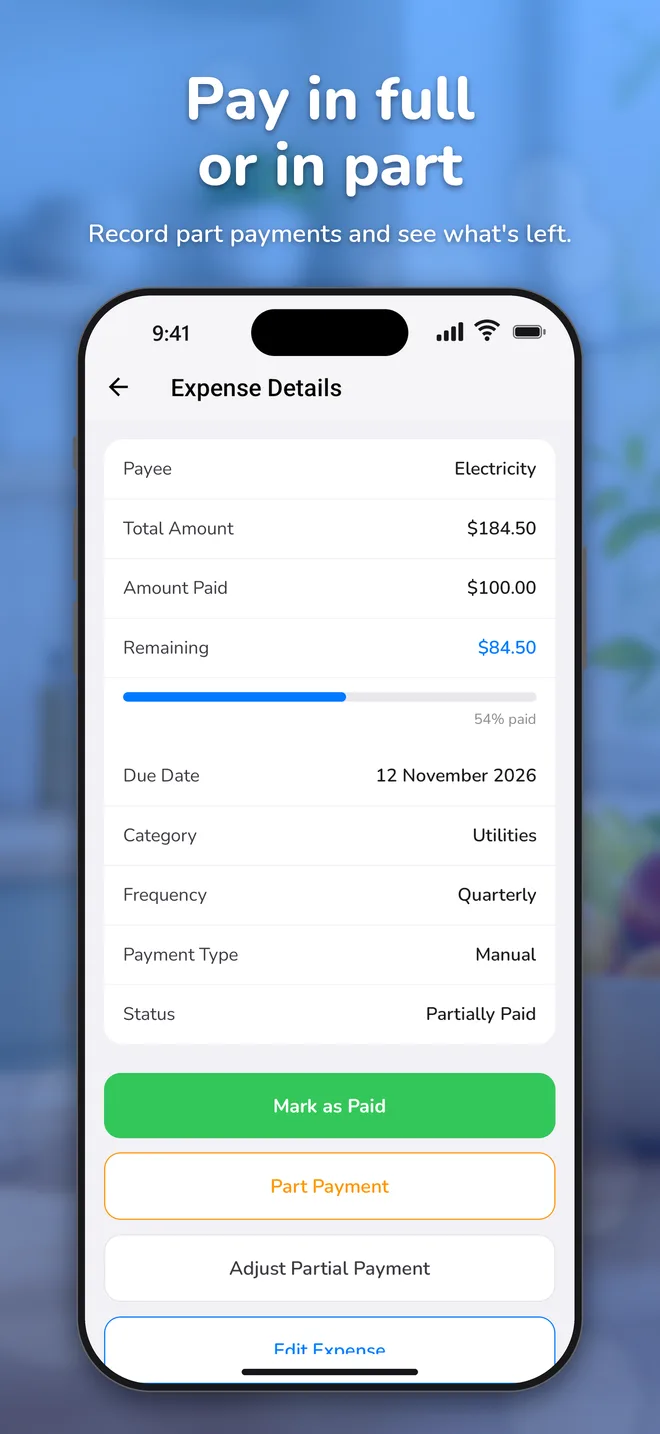
Pay in full or in part
Record part payments and see exactly what's left. Made a mistake? Reinstate it.
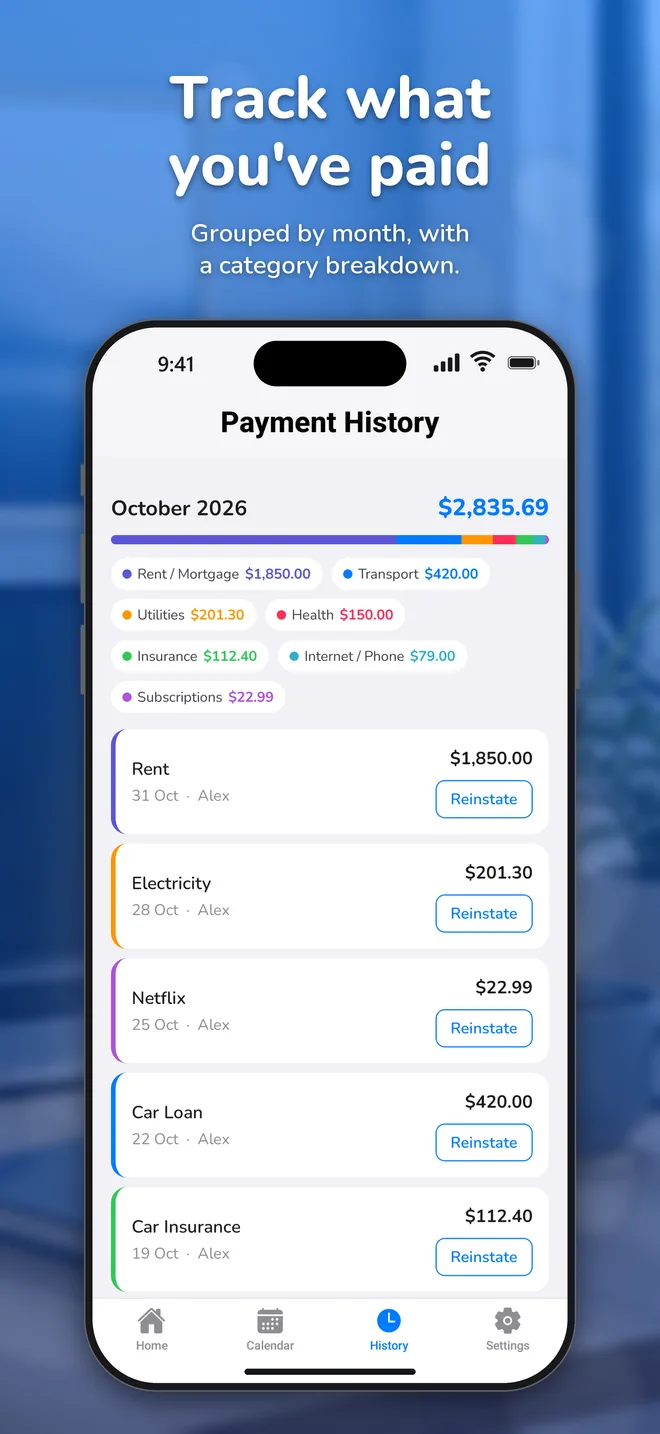
Know where it went
History groups payments by month with a category breakdown.
Reminders that show up
A heads-up at 9am, 3 days before anything is due. Plus an alert when a housemate pays.
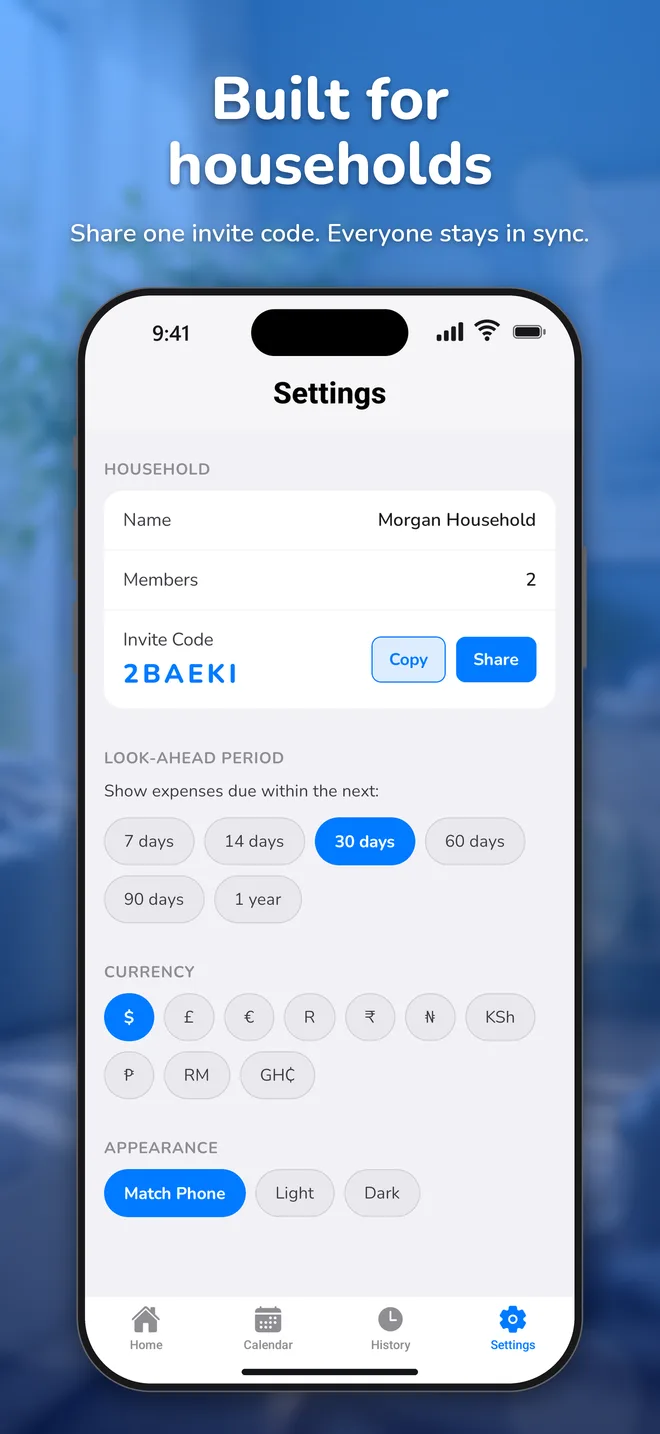
Built for households
Share one invite code and everyone sees the same bills, in real time.
Face ID sign-in
Sign in with a glance or a fingerprint. Or with Apple or Google.
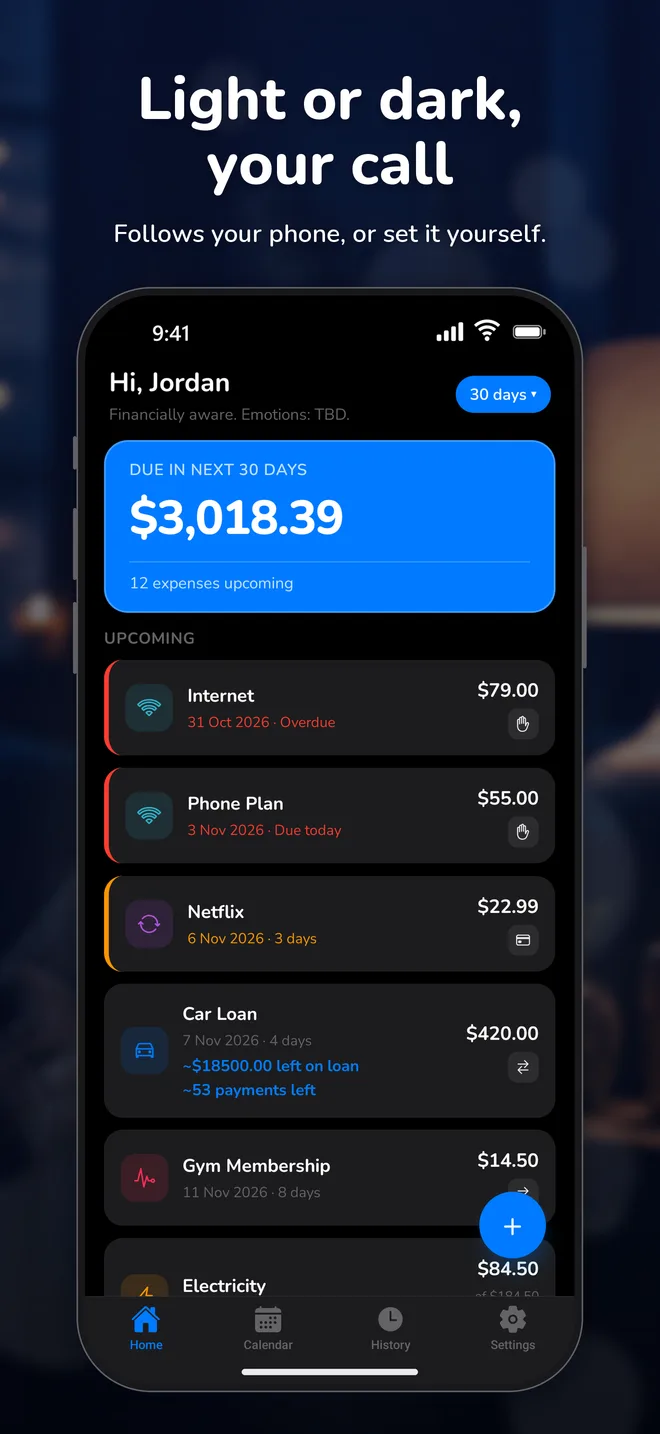
Light or dark, your call
Follows your phone, or set it yourself. Five accent colors to choose from.
For families
Two parents, one calendar of school fees, swim lessons and the mortgage. Finally on the same page.
For housemates
Rent, power, internet, four people. Everyone sees who paid what, and nobody has to chase.
For just you
A household of one works too. It's a very good bill tracker for a party of one.
How-to guides
The same guides that are in the app, for when you'd rather read on a bigger screen.
Getting Started
Everyday Use
Loans & Payment Plans
Settings & Account
Questions, answered
Does Expense Aware connect to my bank?
No. You add your bills yourself, so the app never needs your bank login or card details. It's a tracker, not a bank.
How much does it cost?
You can try everything free for 7 days. After that it's a monthly or annual subscription, with the price shown in the app in your local currency. Cancel anytime in your App Store or Google Play settings.
Who can see my bills?
Only the people in your household. Anyone with your household's invite code can join, so share it only with people you trust.
Are the loan figures exact?
They're estimates, marked with a ~. Lenders calculate interest and fees in different ways, so check your loan against your statement regularly and tap Update Balance to correct it.
Which currencies does it support?
$, £, €, R, ₹, ₦, KSh, ₱, RM and GH₵. Your household picks one in Settings.
How do I cancel or delete my account?
Cancel your subscription in your App Store or Google Play account. To delete your account and data, tap Settings → Delete Account in the app.
Get your bills in line
Free for 7 days on iPhone and Android. Your future self says thanks.
Loan figures in the app are estimates; always check them against your lender's statement. Manage your subscription on the App Store or Google Play. Privacy policy · Delete your account